Posted on October 27, 2026 by Fusion Connect
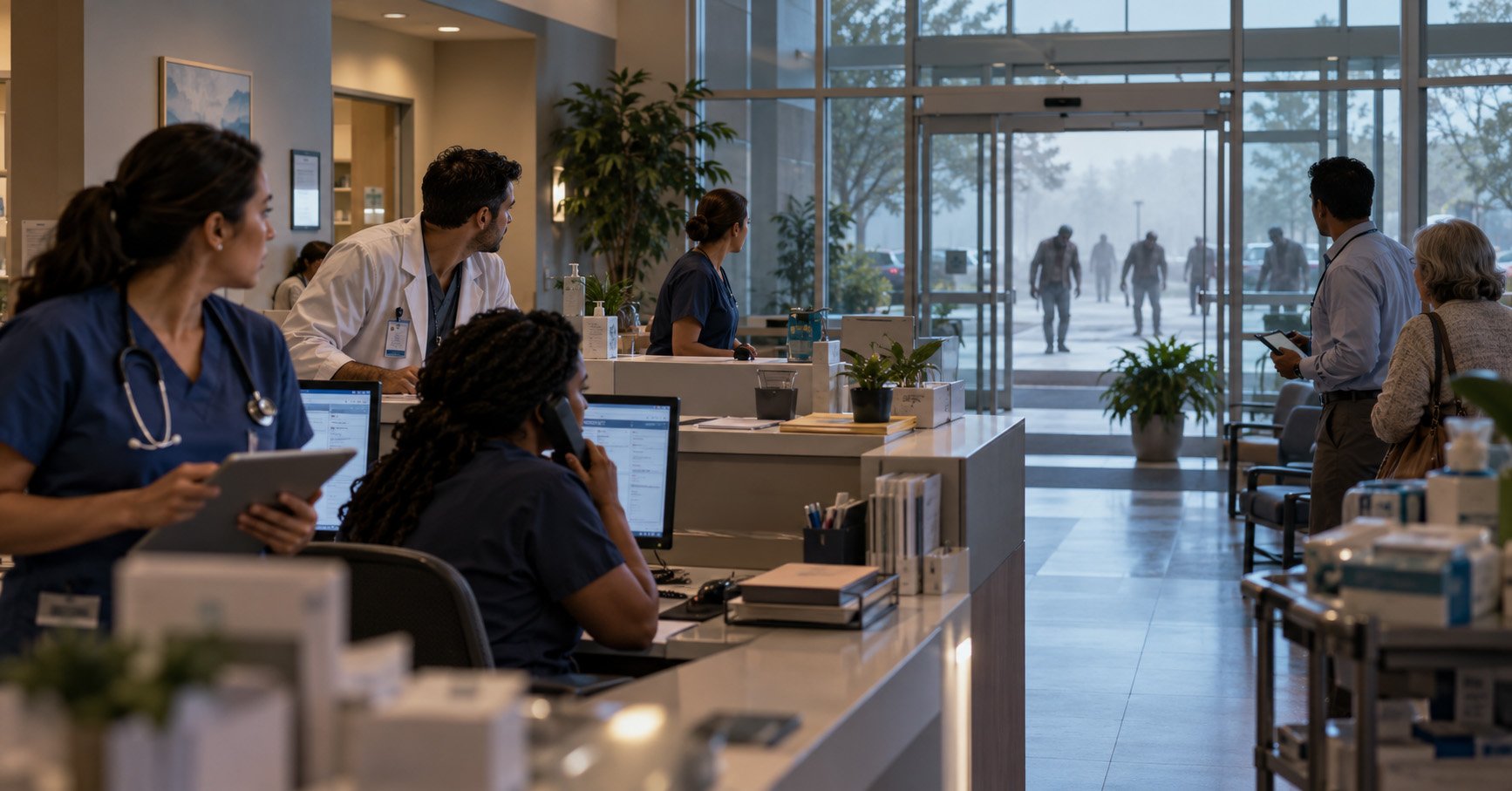
The first zombie is a public safety issue.
The second zombie is a staffing issue.
By the third zombie, it is a contact center routing problem.
And once the parking lot is full of them, somebody is eventually going to ask why the backup internet connection was never tested.
Welcome to the final act.
We have covered wildfires, regional disruption and even “mysterious events” nobody understands.
Now everything is broken.
This is where the Full Suite earns its keep.
What happens when every continuity problem happens at once?
The office is inaccessible.
Half the staff is remote.
The primary internet connection is down.
Customers are calling.
The contact center is overloaded.
A branch lost power.
Another location is still open but running on backup connectivity.
The phone system needs to reroute calls.
Employees need secure cloud access.
Someone remembers the elevator phone still depends on an analog line.
And Dave from procurement has been bitten, so his approval queue is probably going to be delayed.
This is no longer one technology problem.
It is an operating model problem.
What breaks first during total chaos?
In a major disruption, interconnected systems begin to expose one another.
Connectivity problems become communications problems.
If a site loses internet access, voice, cloud applications, payments, and customer tools may be affected too.
Communications problems become customer experience problems.
If customers cannot reach you, they do not care which underlying platform failed.
Location problems become workforce problems.
Employees may need to work remotely, move to another site, or operate from temporary locations.
Legacy systems become very visible.
Alarm lines, elevator phones, fax workflows, gates, and other analog devices tend to become important at exactly the wrong moment.
Support complexity becomes its own emergency.
If every system has a different provider, portal, phone number, contract, and escalation path, somebody now has to coordinate all of them while the undead are approaching reception.
That is a lot to put on IT.
How does a Full Suite approach help?
A Full Suite strategy starts with the idea that these services already depend on one another.
Communications support collaboration.
Collaboration supports employees and customers.
Security protects access.
Network Monitoring provides visibility.
Cloud services give people more flexibility about where they work.
Contact Center tools help customer-facing teams absorb changes in demand.
POTS Replacement modernizes analog services that still support critical devices.
The value comes from planning those services as one environment instead of a collection of unrelated purchases.
This does not stop the zombies.
It does make the conference bridge easier to join while everyone discusses the zombies.
Keep locations connected
Business Internet Access provides different connectivity options for different types of sites.
Critical locations may need private or dedicated connectivity. Branches may use broadband. Hard-to-reach or disrupted sites may benefit from wireless or satellite options.
SD-WAN manages multiple connections, prioritizes important traffic, and shifts traffic when a primary path becomes unavailable.
Network Monitoring helps IT understand what is still working.
During a normal Tuesday, that is good network management.
During the zombie apocalypse, it tells you which branch still has WiFi and a functioning coffee machine.
Priorities matter.
Keep users secure
Employees may suddenly be working from places that were never part of the original workplace strategy.
SASE extends secure access and security policies across remote users, branches, cloud applications, and distributed environments.
Instead of assuming the user is sitting inside one protected corporate network, security follows the user and the application more closely.
This helps businesses support work from wherever work is still possible.
Preferably somewhere with sturdy doors.
Keep people communicating
Cloud communications can give businesses more options when a physical office is unavailable.
Microsoft Teams Calling, Cisco Webex Calling, Hosted Voice, SIP Trunks, and other voice services support different communications environments and migration strategies.
Calls can be routed to alternate locations, remote employees, or other available teams.
POTS Replacement modernizes analog lines supporting alarms, elevators, fax, emergency phones, and other legacy devices.
Because apparently even during societal collapse, somebody still needs a fax.
Keep customers informed
Customers are going to have questions.
“Are you open?”
“Is my appointment still happening?”
“Where is my order?”
“Why is the parking lot full of zombies?”
Contact Center services help route those interactions across available teams.
Business Texting provides another channel for updates and notifications.
Voice Enhancements help businesses manage calls, recording, routing, analytics, and other communications needs.
The goal is to keep customer communication moving even when normal operations are very much not normal.
Keep teams collaborating
Employees need access to applications, files, conversations, and each other.
Microsoft services and collaboration tools help distributed teams keep working across locations and devices.
AI-powered capabilities summarize conversations, identify information, support agents, and reduce some of the manual work involved in handling high volumes of communication.
Nobody wants to spend the apocalypse writing meeting notes.
What should the ultimate continuity plan include?
For real business resilience, consider:
- Primary and backup internet connectivity
- SD-WAN for intelligent routing and failover
- SASE for secure distributed access
- Network Monitoring for visibility
- Managed Wi-Fi for locations still in operation
- Cloud voice and flexible call routing
- Microsoft Teams Calling or Cisco Webex Calling
- SIP Trunks where PBX environments remain
- POTS Replacement for critical analog devices
- Contact Center for customer interactions
- SMS/MMS Business Texting for updates
- Voice Enhancements for additional call management
- Microsoft Licensing and collaboration tools
- A clear support path across the environment
Where Fusion Connect fits
Fusion Connect helps businesses bring connectivity, communications, collaboration, customer interaction, cloud services, security, and support into one broader strategy.
That creates clear ownership across services that already depend on one another.
It also reduces the number of vendors, tools, support paths, and handoffs IT has to manage during normal operations.
And during an emergency?
Normal complexity becomes emergency complexity very quickly.
One provider that understands the environment can make the response easier to coordinate.
Break glass before everything stops
A zombie apocalypse is unlikely.
A zombie apocalypse is unlikely.
But a network outage, building closure, cyber incident, power outage, carrier problem, sudden shift to remote work and a major customer service disruption are all likely.
The ridiculous scenario works because the operational lesson is very real.
Know how your locations stay connected.
Where calls go and how employees access applications securely. How customers get updates, which analog devices are still hiding in the environment and who you call when several things break at once. Because if the dead ever do rise, you already have enough problems.
Your communications strategy should not be one of them.
Speak to Our Tech Experts
Reach out to Fusion Connect before the emergency plan becomes the emergency.